
Release Date: Tuesday, June 7th 2022
New Features
Get Paid by an LFM market via Stripe Connect
This release allows producers to receive payment for ordered items on Pick Lists and Purchase Orders via Stripe Connect. LFM markets will setup a Stripe account to facilitate producer payments, and then producers can setup a Stripe account to link with the LFM market(s) they sell in, via Connect. There is a new "Stripe Connect" page in the Settings page where Connect users can link their Stripe account with the markets they sell in.
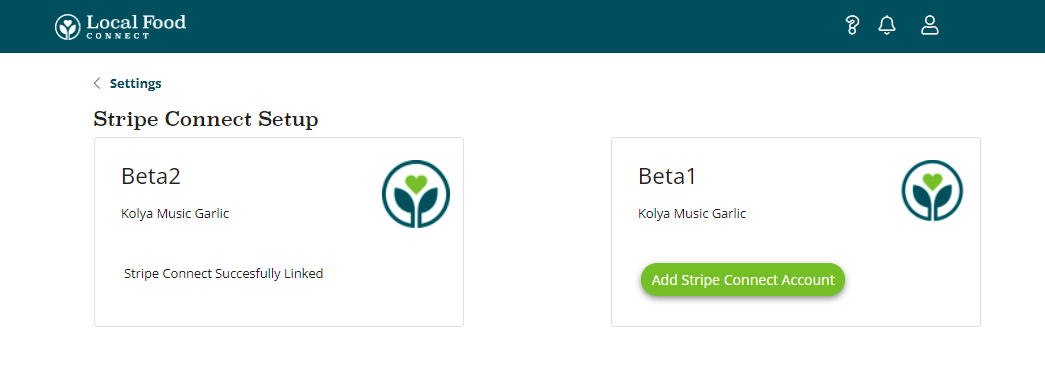
Clicking the "Add Stripe Connect Account" button in the Stripe Connect settings page will direct the customer to Stripe to get their account setup and linked to the LFM market. Once the account is setup and linked you'll be able to receive payment to this Stripe account for Pick List and Purchase Order sales to the LFM market.
Viewing and Printing Pick Lists from the Distribute page
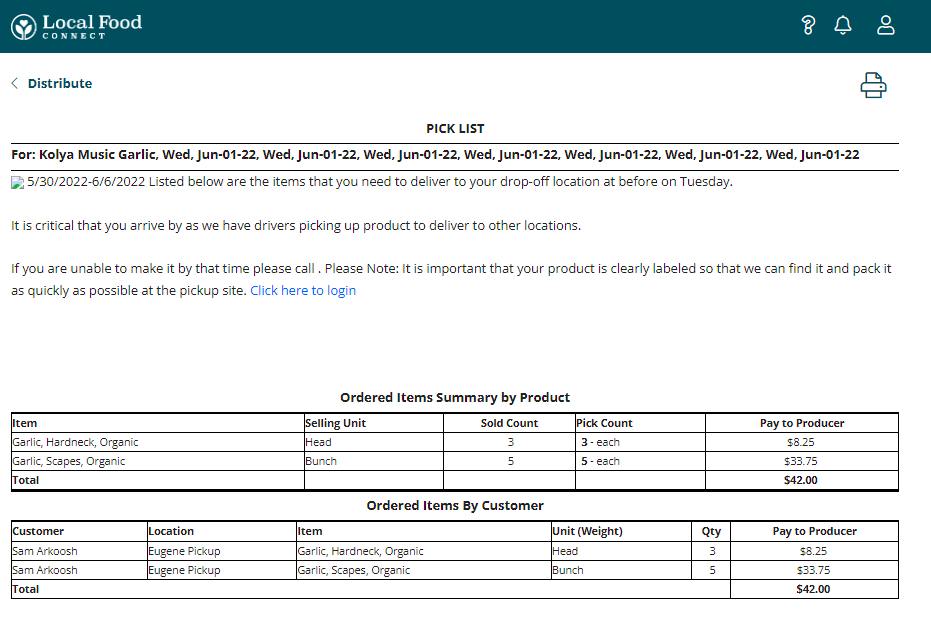
This release adds the ability to view and print Pick Lists for the LFM markets that Connect users are selling in.
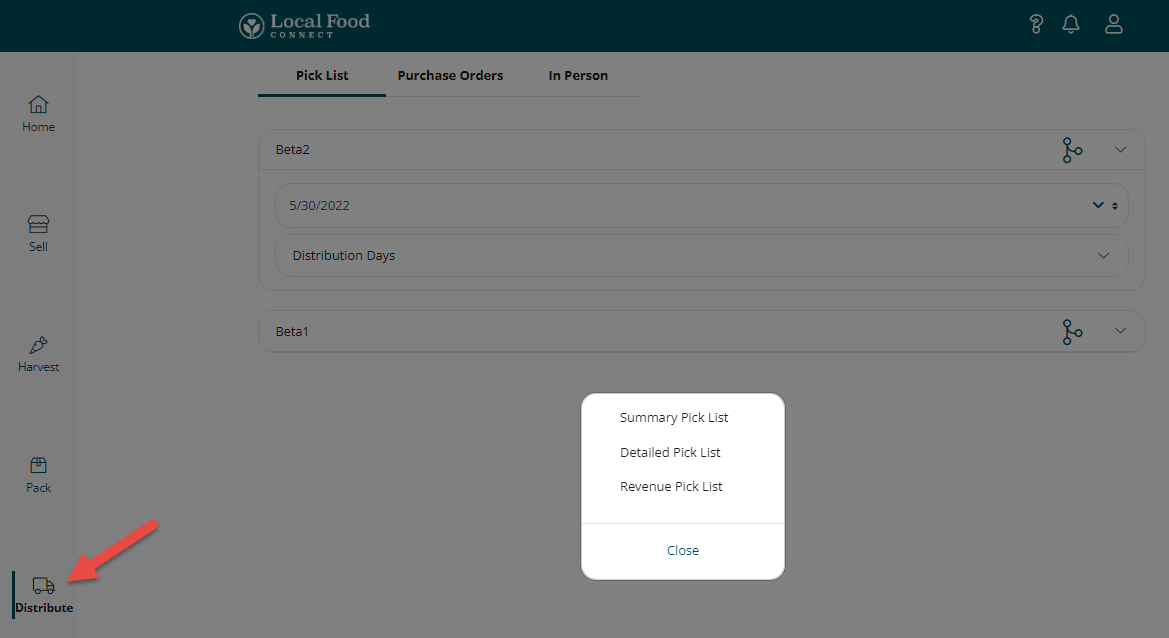
Navigate to the Distribute page, and set the period and sub-period/distribution day(s) for the Pick List you'd like to generate, then click the Share icon to generate a Pick List for that distribution.
Notifications Page
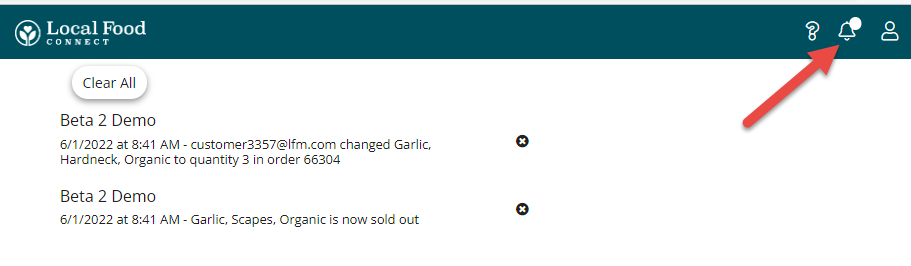
This release adds an in-app notifications page so that Connect Users know when a product sells out, or an item in a confirmed order is edited by a customer on the storefront:
Bulk Add Connect Products to an LFM Market
This release adds the ability to bulk add products that are setup in Connect to another LFM market that the Connect user is selling in. This functionality is particularly useful for adding a producer's products to a new LFM market that they're selling in.
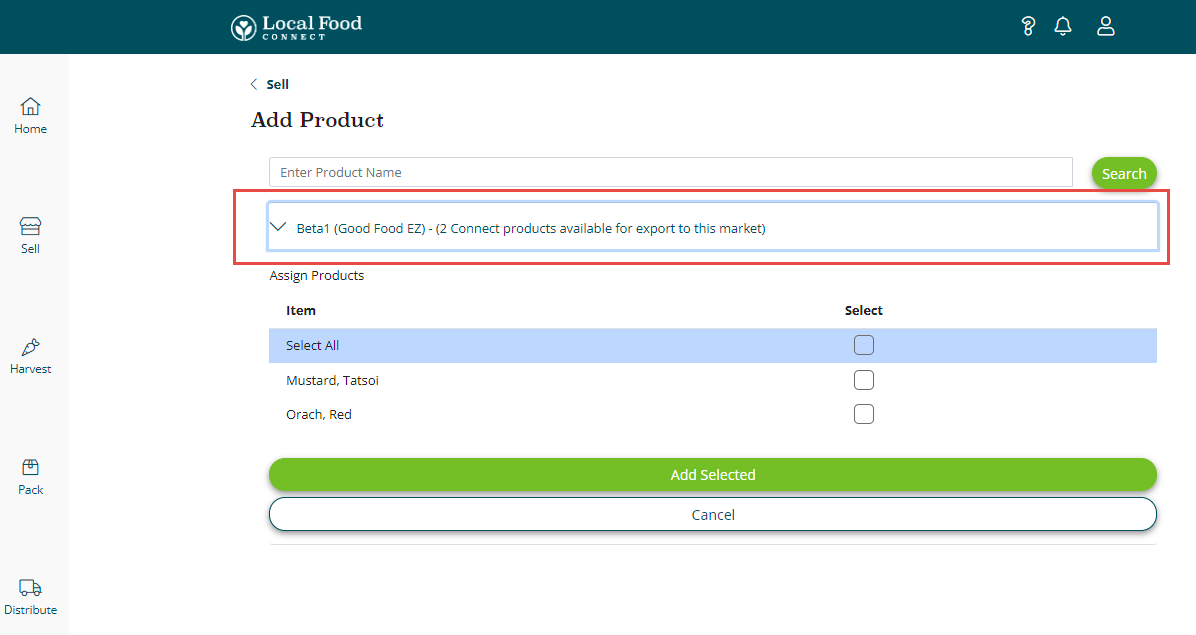
Users navigating to the Sell page, then clicking the Plus button to add products will see the markets that they're participating in that don't have products that are setup in Connect. Select the market you want to add the Connect products to by expanding the menu item, then select the Connect products you'd like to add to the market.
These added products will need to be categorized by a market manager in the market, and Connect users should review the base units assigned to the added products - the system adds all products to the new market with a base unit of "Each."
Vacation Mode
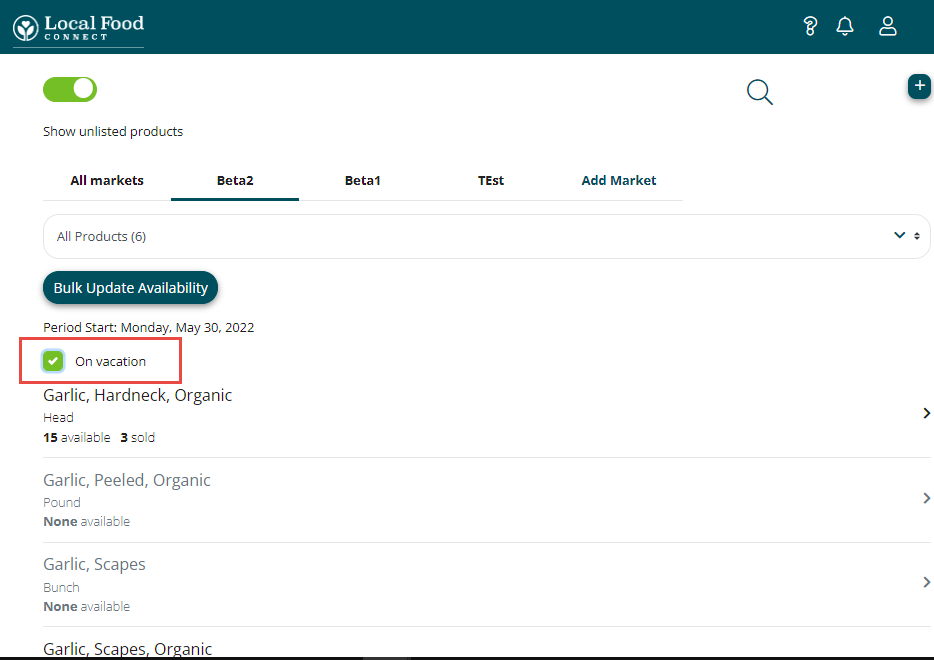
This release adds the ability for producers to set themselves on vacation for markets they're selling in through Connect.
Improvements
Labels Update
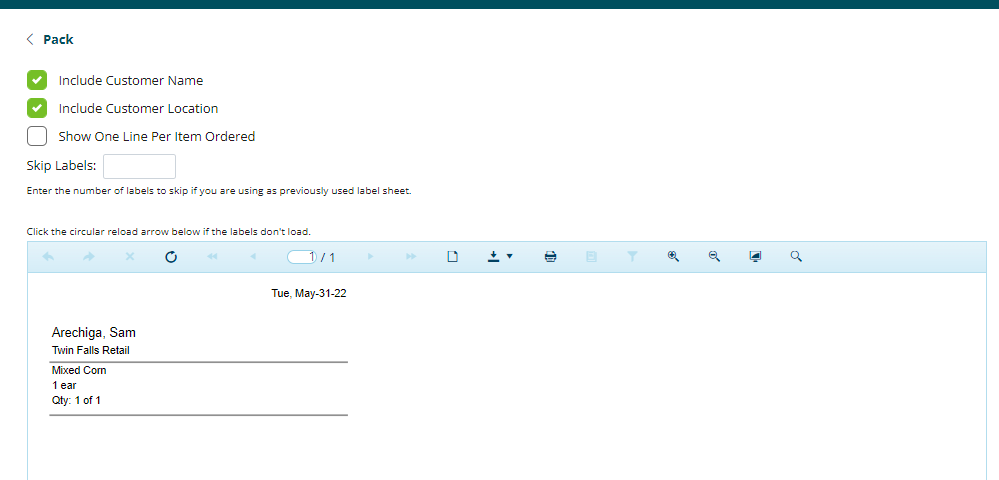
This release adds functionality around generating labels from the Packing page of Connect. Users now have all of the options for labels that they have in the LFM producer profile.
Display Base Unit for Type B Products
This release displays the base unit for Type B products, allowing users to edit the base unit if necessary.
Bug Fixes
Switch To Menu Users Bug
This release corrects a bug that was hiding other markets that the Connect user was managing from a single login, if the user was managing more than 5 producers from a single login.
Manually Changing URL Change Users Bug
This release corrects a bug that was changing the Producer that the Connect user was managing if the user manually entered an Connect URL in the site.
Comments
0 comments
Please sign in to leave a comment.